
Our Gmail Sync features connects your Gmail account to point.me so we can automatically scan your inbox for loyalty program emails (such as monthly mileage statements or balance updates) and extracts. your current points balances.
How to access
-
Go to “My points”:
- In the upper-right corner of the page, select the dropdown to the left of your name.
-
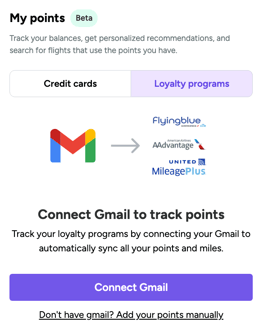
Select "Loyalty programs"
- There you'll see the option to "Connect Gmail"
- Once you click connect, you'll be prompted to log into your Gmail account.
- Once you click connect, you'll be prompted to log into your Gmail account.
- Once completed, this connection will allow us to identify and track any points balances based on emails you've received from loyalty programs. In a few seconds, you should see these balances appear.
- There you'll see the option to "Connect Gmail"